
Claude Code design: how to set up your own AI designer (no more Canva)
Published 12 November 2026 by Chantal Edouard-Betsy.
Quick answer: To set up your own AI designer in Claude Code, ask Claude to create a named design agent using Anthropic's skill creator and a few design skills. Then give it house rules, reference designs, your brand kit and your approved photos. Test it, give feedback, and turn every fix into a rule. No code needed.
I haven't logged into Canva to do a thing since February. Now I've cancelled it.
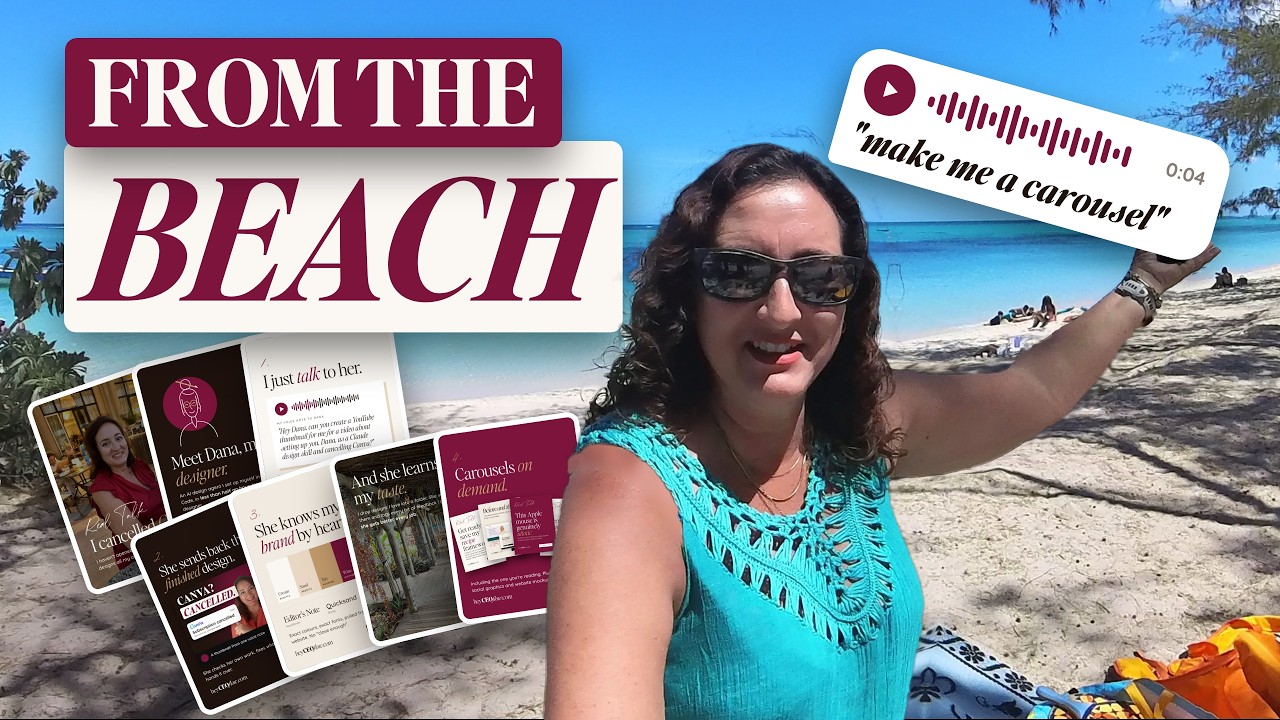
Here's what I do instead. I grab my phone and send a voice note: "Make me a carousel from my last post, please." Then I put my phone down, get on the SUP, paddle out and enjoy the view. When I come back, there it is. My photos, my video, my fonts, my colours, completely on brand, all done while I was at the beach.
I set that up once, at my desk, and in this post I'll show you exactly how, step by step, so you can build your own designer this afternoon. I've built more than 800 websites since 1993, and this is the designer I wish I'd had years ago. And at the very end, I'll give you the one rule that stops AI slop. It's one sentence, and it's the reason I could cancel Canva.
In this blog
- Step 0: The slop test (what Claude Code designs out of the box)
- The skills I gave my designer
- Step 1: Create your designer (the exact prompt)
- Check the folders Claude made
- Step 2: Give her house rules
- Step 3: Show her what good looks like
- Step 4: Check, don't guess
- Step 5: Your brand, written down
- Step 6: Your photos
- Step 7: Test her
- Step 8: The feedback round
- The one rule that stops AI slop
- FAQ
- Key takeaways
- Want a designer like this set up with you?
Step 0: The slop test (what Claude Code designs out of the box)
Before you set anything up, see what Claude Code makes with no design skills at all. It gives you something that looks fine at first glance and is wrong in the details.
I typed: "Create me a 10 slide Instagram carousel about this topic using the branding from my website, heyCEOflow," and pasted in a voice note I'd sent to my AI second brain. Claude went to my website, pulled out fonts and colours, and rendered the slides. Honestly? Not bad. But because I know my brand, I could see the problems straight away:
- A random gold circle in the top corner. Who knows why.
- The bold version of my body font everywhere, which I never do.
- Rounded buttons with lowercase button text. Not on brand.
- "heyCEOflow" typed in italics at the bottom of every slide, which looks nothing like my logo.
Here's why that happens. When any AI tool creates something, it gives you the average of everything it has ever seen. That's what we call AI slop. It's a carousel, sure, but is it actually great? Does it connect with your audience and do the job you set it? Don't get blown away just because it produced a result.
The whole set-up below is about leaving no blanks, so it never has to guess. Keep that word, blanks, in your head. It comes back at the end.
The skills I gave my designer
These are the skills I started my own designer, Claire, with. You give the links to Claude Code and it pulls them in. GitHub, by the way, is just a folder in the cloud.
- Anthropic's skill creator: Anthropic's own skill for setting up skills properly. This one is foundational.
- Anthropic's frontend design: Anthropic's design skill, the base layer.
- Taste skill: tries to give your designer more taste and less AI slop, with things like great typography and spacing, all the things designers like me obsess over.
- Autoresearch, by Karpathy: teaches a loop of improving the work.
- Autoresearch for Claude, by Udit Goenka: a spin-off of that for Claude Code. To be honest, I'm not sure both autoresearch skills are needed, but I used both.
One thing before you paste any skill link into Claude: scan it first. I explain how, and why, in how to install skills in Claude Code and check they're safe first.
Step 1: Create your designer (the exact prompt)
Ask Claude Code to create a named design agent, give it the skill links, and tell it to ask you questions before it builds. For the demo I called her Dana. This is the final prompt I used. Swap Dana for your designer's name:
"Hey Claude, I want to set up an AI agent, specifically one that will work with me on designs, website designs, social media designs, etc. Anything design-related, this agent will own. Please use the skill creator skill in the link below to do this.
I want this agent to have a name. We're going to call her Dana, and I want to be able to ask her to do something. Maybe create a /Dana command so that if I open a new chat, I can actually call her like that. Please create her in a logical place within my folder structure. If there isn't a .claude skills folder created, maybe put her under there or in the Agents folder. I'm going to let you advise me of the best way to structure my folder. Going forward, everything I do with you, I want you to always be saving it in a logical place within our YouTube demo folder.
What I want to do is give you some links to GitHub repositories that I want you to pull in and give to Dana in her tool belt of skills that she has. Also, I want you to ask me if you're unsure about anything or you need me to clarify anything before you complete this task. Please do ask me so that we can get it right the first time."
Then paste the five skill links underneath. I give it everything in one go. As humans we tend to give one instruction at a time, and that slows us down with AI. Claude can handle far more than we can, so I hand over the whole bang shoot in one mega prompt.
Claude loaded the skill creator, reviewed the links, and asked me a few questions. Where should Dana live: everywhere, or only in my YouTube demo folder? (Demo only, to keep her separate.) Should she use the design improve loop after every build? (Yes.) Where should her branding come from? (Ask per project.) Should it reorganise my demo folder? (Yes, move and map.)
Seven minutes later, Dana existed, with a /Dana command to call her. That command is the only "code" I'll ever ask you to type.
Why give your designer a name and her own skills?
Because the end goal is running your business from the beach, and that means lots of agents and lots of skills. If every new session had to read all of them, you'd have no room left for the actual job, and you'd chew through your Claude usage. When you call Dana in a fresh session, only the skills Dana needs get loaded. No bookkeeping skills, no WordPress build skills. Skills sit in one central place, and each agent pulls on the ones it needs.
Check the folders Claude made
On a fresh set-up, go and look at the folders after every new thing you build. If anything doesn't make sense to you, tell Claude to change it.
Mine had a design studio area with folders for websites, social graphics and Instagram carousels, plus Dana's notes. In the hidden .claude folder were an agents folder holding Dana, and a skills folder. But Claude had named a skills subfolder "Dana".
I didn't want that. A design skill might be used by other agents later, so I asked Claude to always name skill folders by what the skill does, never by the agent. It renamed it "design". Now, to add a new agent later, you only give it a name and a personality and point it at the skill.
Then I opened a new session, typed a forward slash, started typing Dana, hit enter, and asked her: "Who are you and what are you never allowed to do?" She replied, "Dana here. Let's make this look great," and listed her never-rules. They were all from my main CLAUDE.md, though, like never delete without asking. She needed some rules of her own.
Step 2: Give her house rules
Tell your designer what she must always and never do, and ask her to save those rules in her own files. These are the ones I gave Dana, and they're straight from my own designer:
- You design. You never build.
- Where you've been given branding (fonts, colours, anything else), stick to it.
- Where you've been given real photos, use the real photos.
- Never invent styling. Ever.
- If something has a question mark attached, or a rule isn't written down, ask me.
Then something useful happened. Dana spotted that one of her own instructions ("make sensible choices") clashed with my new rules, and changed it so that she would stop and send me questions whenever she wasn't sure.
I pushed back, and you might want to as well. I told her I always give her all the information I have up front, and I expect her to finish the job to the best of her expert abilities without stopping. She should make the design choices she has to, and list them at the end of her report. Otherwise you build one of those needy little birds going "cheep" every five minutes.
She's got instructions and taste. Next comes the step that makes the biggest difference of all: your taste.
Step 3: Show her what good looks like
Give your designer reference designs, each with one line on why it's there. They're references to learn the feel from, never templates to copy.
My own designer has 62 reference websites. Each is a screenshot with one line of why it's in there: warm, editorial, bold, whatever it is. There's a readme that lists them all. When I first started her skill, I only had 21. You don't need millions. Two or three really good examples get you out of the gate. Too much isn't a good thing either.
Claire was first built from nine of my real client builds, so she learned my style from my own work. Your best past designs belong in that folder. That's your style in pictures. She starts from what you've approved, never from a blank page.
To work out the rules, I recorded myself designing and building websites and explained the choices going on in my brain. If you're a designer and want a fully fledged design skill, I'd highly recommend it. For any skill, really, you give Claude the instruction, the content, good examples (sometimes bad ones too) and the output you want.
In the demo, I asked Dana to create the folder structure, and she made a reference designs folder with subfolders for websites, landing and sales pages, Instagram carousels, social graphics and YouTube thumbnails. I dropped a few website screenshots in and asked her to write one line on each about what makes it work and keep it as her reference library.
Step 4: Check, don't guess
Tell your designer to base every decision on what your references do, and to explain any choice they don't support. This is the secret ingredient, and it comes from that autoresearch skill. This is the prompt I gave her:
"Dana, before you make any design decision, check what my references do and go with the majority. If there's no evidence, tell me and explain your choice. Never fall back on what websites usually do."
Before she decides anything, the menu, the top of the page, the buttons, the fonts, she writes down what the reference sites do and goes with what most of them do. If she ever catches herself thinking "websites usually have...", she stops. That's the AI training talking, the average of the average again. And if she uses something that's in none of your references, she has to tell you why, and you agree or show her a better way.
Step 5: Your brand, written down
Write your brand down where your designer can read it, or she'll invent it as she goes. Most people's branding lives in their heads, and that's where slop creeps in.
If you already have a brand kit, fonts, colours or brand photos, just tell her where they are: a Dropbox link, a Google Drive link, a folder on your computer. If you don't, point her at your website. I asked Dana to go to my site and build a full visual brand reference: button styles, heading and body fonts, colours and palette, so I could check and approve it.
She came back with a brand kit page. The fonts were correct, the spacing and colours too. Big numbers, three body sizes, square corners, small caps, no fuss. That's my brand. I approved it, then added one note: on Instagram and social media I use more of my berry and chocolate colours, for pop. I also gave her examples of Instagram carousels I'm happy with, so those are her approved references for carousels.
Talk to her like a baby designer sitting next to you at your desk. What would you ask her to look at to understand your brand?
Step 6: Your photos
Tell your designer exactly where your approved photos and videos live, and to only use those. I'm an iPhone girly, so mine are in an Apple Photos album called Post Board.
Inside it are albums like throwback photos, speaking and filming, out and about, home and friends, phone in hand, portraits, golden hour and nature, camping life, boat life, family life, working, and beach lifestyle. With access to that, she can find my branding, my images and my words in the content bank, and produce something that's actually me.
How she picks which photo goes where is a whole skill of its own, and quite a detailed one inside my own designer. That might be a video for another day.
Brand, references, rules, photos. Time to see if it works.
Step 7: Test her
Test your designer on two jobs: one she has references for, and one she doesn't. The difference is the whole lesson.
The thumbnail (no references). I asked Dana for a YouTube thumbnail about setting her up and cancelling Canva. She told me her thumbnail references folder was empty, so she'd work from the majority of my approved carousel designs, and then listed every choice she'd made. The result was on brand, and she invented no styling. But it wasn't a thumbnail anyone would click, because we'd never shown her a good one. That's where slop lives: in the blanks.
The carousel (with references). Then I asked her to really show off with a mixed carousel, with images of me from my Post Board album and text slides, telling the story of how I set her up and cancelled Canva. I gave her the gist: it's all in Claude Code, not Anthropic's Claude Design product, it's all done by voice note, it took less than half an hour to set up, and it makes carousels on demand. And I told her who it was for: face-of-the-business entrepreneurs, like web designers, brand designers and online coaches, who make lots of founder content and don't want to pay a VA or subscriptions like Canva to do it.
Remember the why from my post on running a team of agents? Dana needs to know why she's making something to do a fabulous job. A few minutes later, she came back with a finished carousel.
Step 8: The feedback round
When the design comes back, check it against your rules and tell your designer exactly what's wrong. This is where the brilliance lives.
The carousel looked great. But not perfect, and she'd broken one of my rules. My feedback, in short:
- On every photo slide she'd used what looked like a gradient overlay in my chocolate brown. That's invented styling. In my references, every photo slide has an even, semi-transparent black overlay over the whole photo. Not a gradient, and not brown.
- A slide said "Meet Dana, my designer" over a photo of me. That doesn't make sense to a human. I asked for a solid colour slide with an image representing Dana instead.
- On the call to action slide, the words ran over my mouth. Move the image or pick another.
Dana agreed: "Your references use an even semi-transparent black over the whole photo. I invented the brown gradient." She went back to the references, kept the first version as version one, and rendered version two. That one was properly on brand.
That's less than an hour of training. Mine has months and months of these corrections, and every one became a rule that applies everywhere. That's why I can send a voice note from the beach and get perfection. You set it up properly once at your desk, and you use it from the beach.
Your back office is everything that happens after someone says yes: the follow-up, the booking, the invoice, the course access. Your content is part of it too. Right now, that's probably all you.
The one rule that stops AI slop
Here it is, the one sentence I promised at the top: never invent styling.
Every piece of slop you saw in this post came from a blank: a rule nobody wrote down, a reference nobody gave her, so she filled it with the average of the average. "Never invent styling", paired with "check, don't guess", closes those blanks. If it isn't in your brand or your references, she asks or she explains. That's how she knows my brand by heart, and it's why I haven't needed Canva since February.
If you named your designer something other than Dana, I'd love to know what you called her, and why.
New to Claude Code? Start with how to set up Claude Code for your business. For the bigger picture, read how to use AI to actually save time in your business.
FAQ
Is this the same as Anthropic's Claude Design?
No. Everything in this post is done in Claude Code, with a named agent and design skills that live in your own folder. Claude Design is a separate Anthropic product. I don't use it for any of this.
Do I need to know how to code to set up an AI designer in Claude Code?
No. I set Dana up entirely by talking to Claude Code in plain English, mostly by voice note. The only thing I typed that looks like code was the /Dana command, and Claude created that for me.
How many reference designs does my AI designer need?
Fewer than you think. Two or three really good examples get you started. My designer started with 21 reference websites and now has 62, each with one line on why it's there. Too many isn't a good thing either.
Can my AI designer make carousels from my own photos?
Yes, once you tell her where your approved photos live and to only use those. Mine come from an Apple Photos album called Post Board, sorted into albums like beach lifestyle, portraits and working.
How long does it take to set up an AI designer in Claude Code?
The set-up in my video took less than an hour, and creating the agent itself took about seven minutes. After that, every correction you give her becomes a rule, so she gets better each time you use her.
Key takeaways
- Out of the box, Claude Code designs the average of everything it has seen. That's AI slop, and it hides in the details.
- Create a named designer with Anthropic's skill creator, frontend design, a taste skill and autoresearch, all by asking Claude Code.
- Give her house rules, reference designs with one line each, your brand kit and your approved photos.
- "Check, don't guess": every decision follows the majority of your references, and anything else gets explained.
- The one rule that stops slop is "never invent styling", and every correction you give becomes a rule.
Want a designer like this set up with you?
This is the kind of skill I want us to set up together inside The Beach Club, my membership for running your business from your phone. People on the waitlist are first in when the doors open.


